

i-Reserve and bexio
With bexio your customers and invoices from i-Reserve go to your Swiss accounts automatically, and you see per invoice line whether it is correct in bexio.
Type: Native · module Export + InvoiceFrom: Bronze
| i-Reserve | bexio | |
|---|---|---|
| Customer | goes to | Contact (person or company) |
| Customer number | goes to | Contact number |
| Address, email and phone details | goes to | Address and contact details |
| Invoice | goes to | Sales invoice |
| Invoice line | goes to | Invoice line |
| VAT rate | goes to | Tax code |
How it works
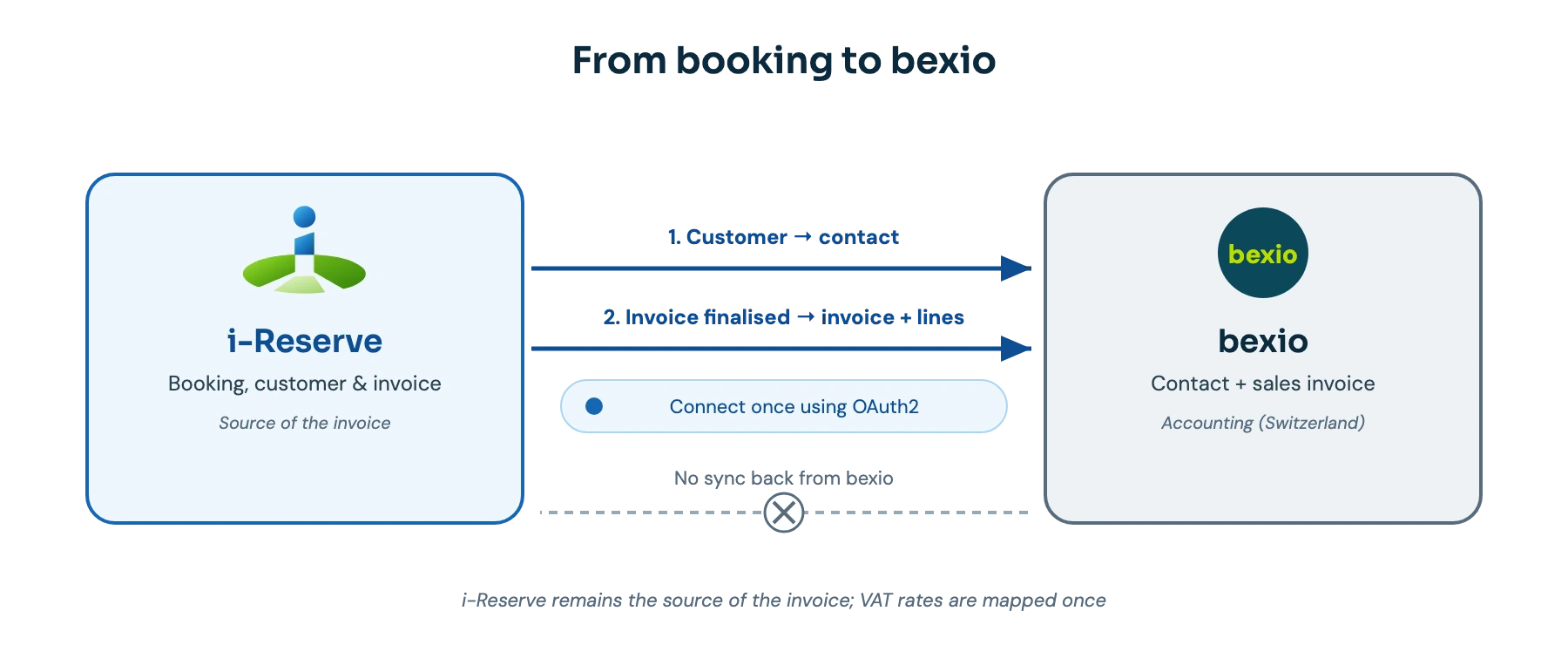
As soon as an invoice in i-Reserve becomes final, i-Reserve creates the customer as a contact in bexio, as a person or a company, and sends the invoice with all invoice lines through the bexio API. You can also synchronise manually from the customer or invoice screen. The data goes one way: changes in bexio do not come back.
What it delivers
You no longer enter data twice, your administration stays up to date and you make fewer mistakes, because the invoice is exactly the same in bexio as in i-Reserve. For each invoice line you see whether it is in bexio and whether the amount matches, so a difference stands out straight away rather than at the quarterly close.
What you need
For this integration you need the Export and Invoice modules, and a bexio account with its own app registration (client ID and client secret). You set up the VAT rates in bexio and map them once to those in i-Reserve.
Extra options
Compare invoice lines: for each line you see whether it is synchronised, differs or exists on one side only, and you update that one line instead of the whole invoice.
Invoicing from bexio: bexio can finalise the invoice and email it to your customer.
Contact number: you decide the prefix and length of the contact number in bexio.
How to switch it on
- Switch on the Export and Invoice modules
- Register an app in bexio and note the client ID and client secret
- Enter them in i-Reserve and give permission in two steps
- Map the VAT rates and choose whether invoices become final in bexio straight away
Simply do it yourself, or have it included in the setup.
Also in accounting








All integrations · Is your system missing? Request it
Connect bexio and done?
Try it free for 30 days, we set the integration up with you. Or book a demo.