
Schedules: occupancy at a glance
The schedule shows you right away what is booked and when. Per room, court, staff member or activity, per day, week or month.
Included in every plan, no module needed.
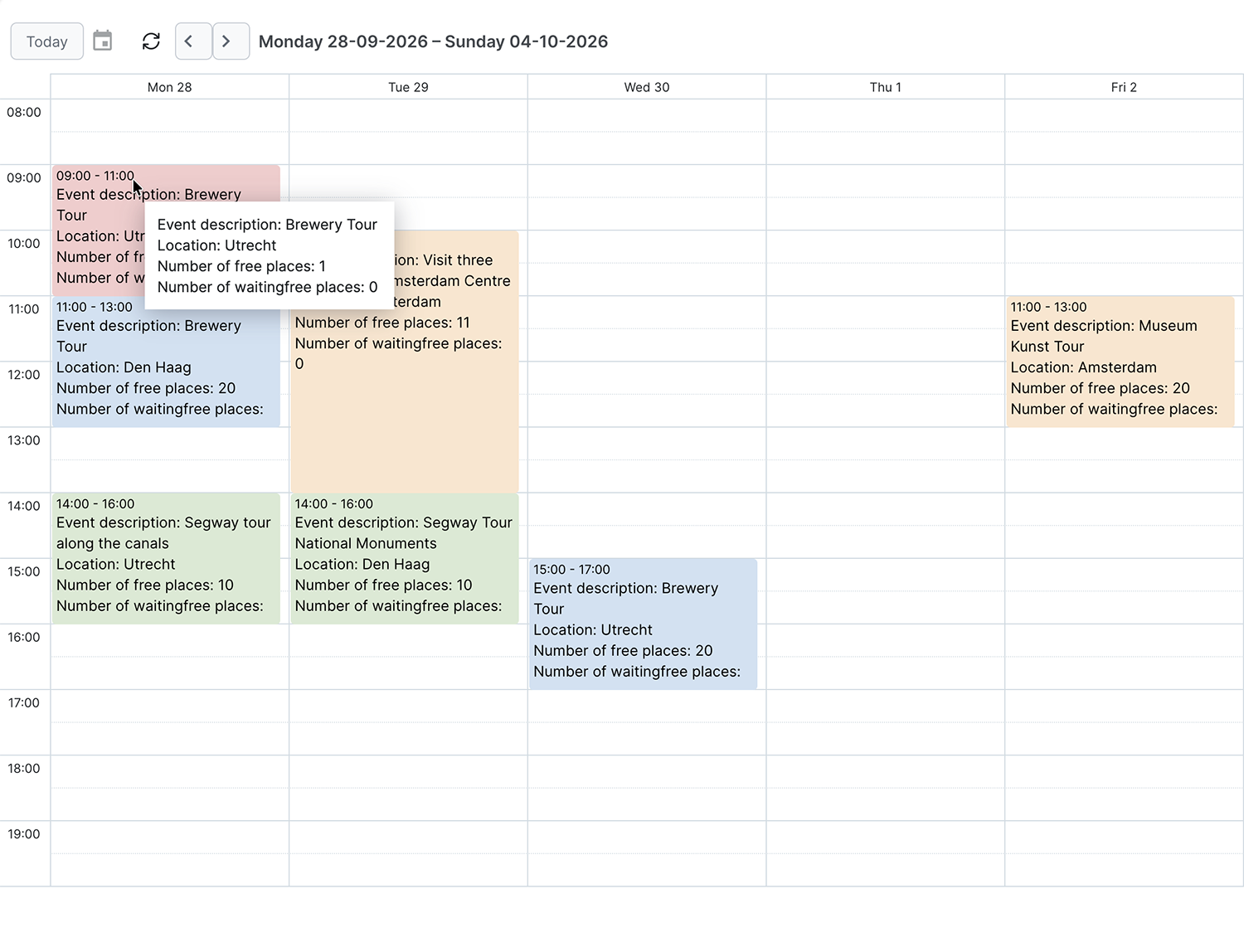
What it does
A schedule places reservations or activities side by side, in columns or on a timeline. You create a new reservation by clicking and dragging, and you move an existing one by dragging the block. Click an activity and you immediately see the details, the available places and the staff assigned. The schedule refreshes itself, so you see changes made by colleagues straight away.
Who it is for
Anywhere you want to see occupancy: rooms, courts, lessons and courses. For courts and lessons, your customers can also see in the schedule what is still available.
What you set up
You create as many schedules as you like: in columns or on a timeline, per object or per room type. You choose what information a block shows, assign colours to things like the status or a customer, and share the schedule with the users who need it.
Works well with
Booking dialogs
Your customers see availability, check the price and book right away. Day and night, on computer, tablet and mobile.Reports
See how your business is doing: revenue, occupancy rate, peak times and where your bookings come from. With ready-made reports and your own filters.Tasks and users
Divide the work around a reservation with tasks, and decide per user what they can see and change.See how it works with your offering?
Try it free for 30 days, we set it up. Or book a demo.