
Booking system for courses: attendance list ready before the class starts
From photography course to safety training. Participants sign up online, pay and get their certificate afterwards. You schedule trainers and see which courses are filling up.

Customers in this sector












Series, exams and recurring classes
A series of eight sessions with an exam at the end: participants book the whole series or single classes. Recurring courses →Assign a trainer, availability visible right away
One or more trainers per course. Trainers see their own classes in their dashboard. Trainer →Diplomas and certificates go out by themselves
Afterwards, the system creates the certificate and emails it to the participant. Diplomas and certificates →What it does for you
Manage courses, schedule trainers and send invoices from one clear online reservation system. Automate what you can, so you keep time for giving training sessions and attention to your students. With i-Reserve you stay in control of registrations, customers and payments. You send emails and invoices straight away in your own house style, so everything stays professional and recognisable.
Your customers see which courses are available, book and pay online and manage their registration themselves. Course full? Let them sign up for a waiting list. Adding extras or special packages? Easily arranged.
i-Reserve is the reservation system for courses that makes your scheduling easy, while you focus on quality and experience.
You run the training, i-Reserve handles the rest.
What's possible?
A selection of the features. Click for the details.
Recurring courses
The reservation system lets you schedule courses flexibly with a recurring pattern. Let participants book the whole series or just a few sessions from it.
Trainer
Assign a trainer to a course in the reservation system with a couple of clicks, and see straight away whether they are available.
Diplomas and certificates
Once participants have successfully completed a course, you can create a diploma or certificate in the online reservation system.
Attendance lists
The online reservation system gives you a clear overview of every participant. On screen, sent automatically by e-mail, or printed as an attendance list.
Waiting list
When a course is full, customers can put themselves on the waiting list in the reservation system and are enrolled automatically as soon as a place comes free.
Tasks
Besides managing reservations, you can create internal tasks for yourself or for colleagues. Add a deadline, a category and, if you like, link the task to a customer or company.
Reports
Pull statistics out of the i-Reserve booking system using filters. You can have them sent to e-mail addresses automatically, so you know which courses are doing well and how much revenue you are generating.
Schedule
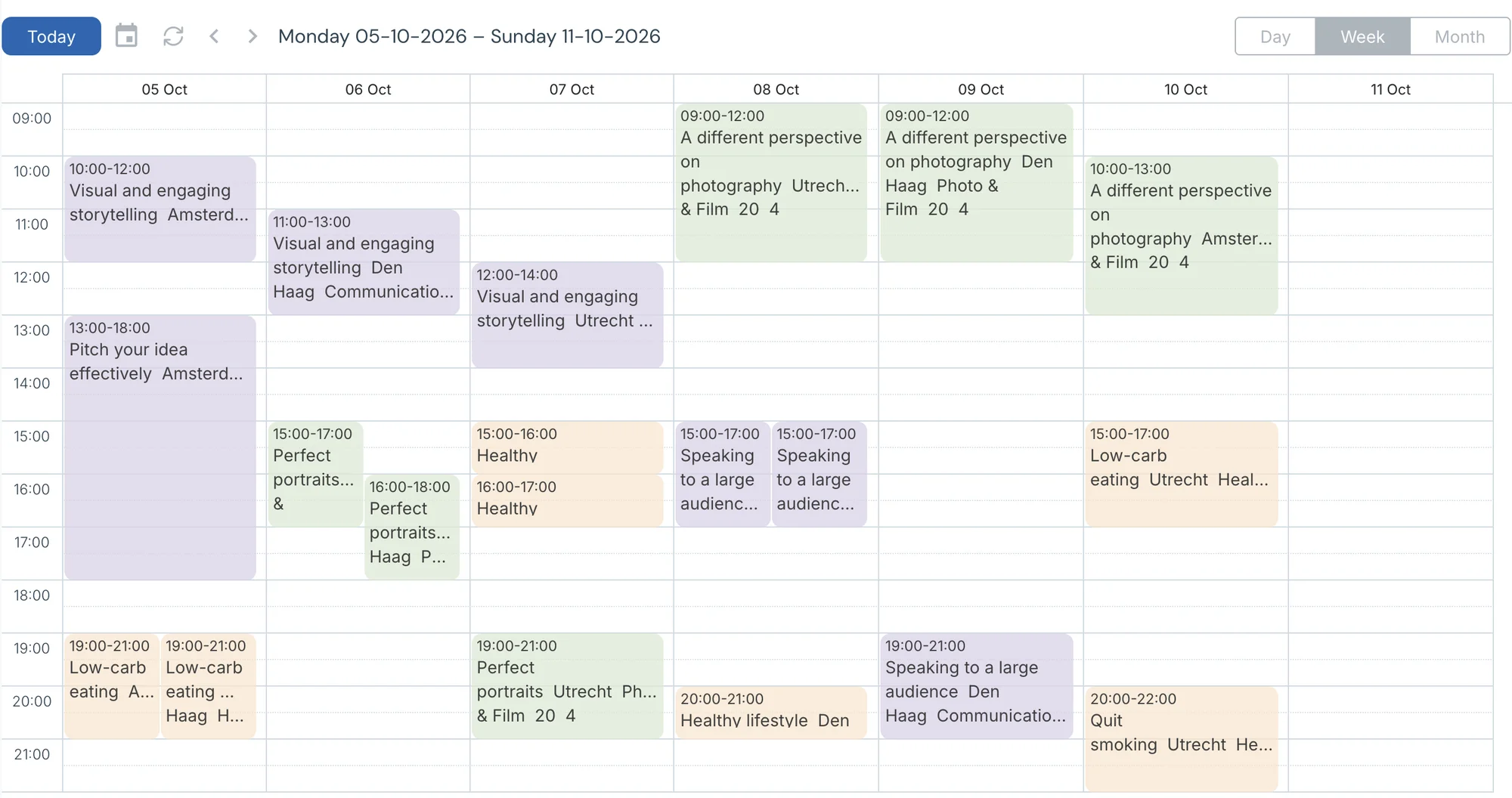
A clear view of every course in one schedule, for your customers as well as your staff. The i-Reserve reservation system makes it possible.
Sign up 24 hours a day
In the reservation system customers can sign up online 24 hours a day, on desktop and mobile, and cancel or change their booking themselves.
Accounting software
Create invoices automatically and export them to your accounting software — our online reservation system handles that too.
Search & Book
Let customers search and filter the courses that are available, by location, course type or date, for example. i-Reserve keeps it simple.
Automatic mailing
Send customers an automatic confirmation e-mail as soon as they have signed up. You can also send participants an automatic reminder with further details.
Frequently asked questions about booking for courses
Can I offer courses made up of several sessions and/or ending with an exam?
Absolutely. In the i-Reserve reservation system you can create several activities that a participant books together, and the last session can be an exam.
Can I assign a trainer to a course?
Yes. You can assign one or more trainers to each workshop or course, and you can see at once who is available. Trainers can also see their own activities in their own dashboard.
Can diplomas or certificates be created in the reservation system?
They can. Once a participant has successfully completed the course or training, you can create a diploma or certificate in the booking system, and have it sent to them automatically.
Does the booking system have filters on the website side?
Yes, customers can search and filter courses and training. You can let participants filter by date, course type or location, for instance.
Is the i-Reserve reservation system responsive?
Yes, the booking system is fully responsive, so your participants can book a course or training on a computer, a tablet or a phone.
Can I print a list of participants per course or training?
Yes, the reservation system gives you an overview of all participants per course. You can filter that list — by who has paid, for example — and then print it as an attendance list or e-mail it to the trainer.
Is there an option to put participants on a waiting list once a course is full?
Yes. You set the number of places per course or training yourself. When a course is full, customers can put themselves on the waiting list in the booking system, and they are enrolled automatically as soon as a place comes free.
Can the i-Reserve reservation system be used on WordPress websites?
Yes. When you choose i-Reserve we set up a domain for you that hosts the reservation system, fully tailored to you and your business. We then place a "book now" button on your website that links through from WordPress. The domain takes on the styling of your website, so participants never notice they have moved to another site.
Can I connect the reservation system to Outlook or Google Calendar, so my trainers and I can find the bookings there?
Yes, that is what our calendar integration is for. It works through the integration platforms Zapier and Microsoft Flow. You first create a connection to your calendar, which is fairly simple — and we are happy to help if you get stuck. From then on every reservation lands in the calendar you chose. If the reservation changes, the reservation system sends notifications to Outlook and updates the calendar entry, so you and your team are always up to date.
Can I see what the reservation system looks like for courses and training?
You can. We have set up a demo website where you can see the reservation system for courses and training. If you choose i-Reserve, the system is of course built in the style of your own website.
Do you have a reference from a company that offers courses or training?
We do. Our reservation system is used by Kap opleidingen and De Culturele menukaart in Gorinchem, among others.
Do I have to set up the system myself?
No. With the trial we set up your environment with your offering, prices and settings, free of charge and within a few days. You can also set it up yourself if you prefer.
Switching from another system, or from a paper diary?
We look at what you have now, move your data across and set up your environment. Also if your current system is about to stop.
Try the demo for courses
Book something yourself, add an option and see what the confirmation looks like. No account needed.
Open the demo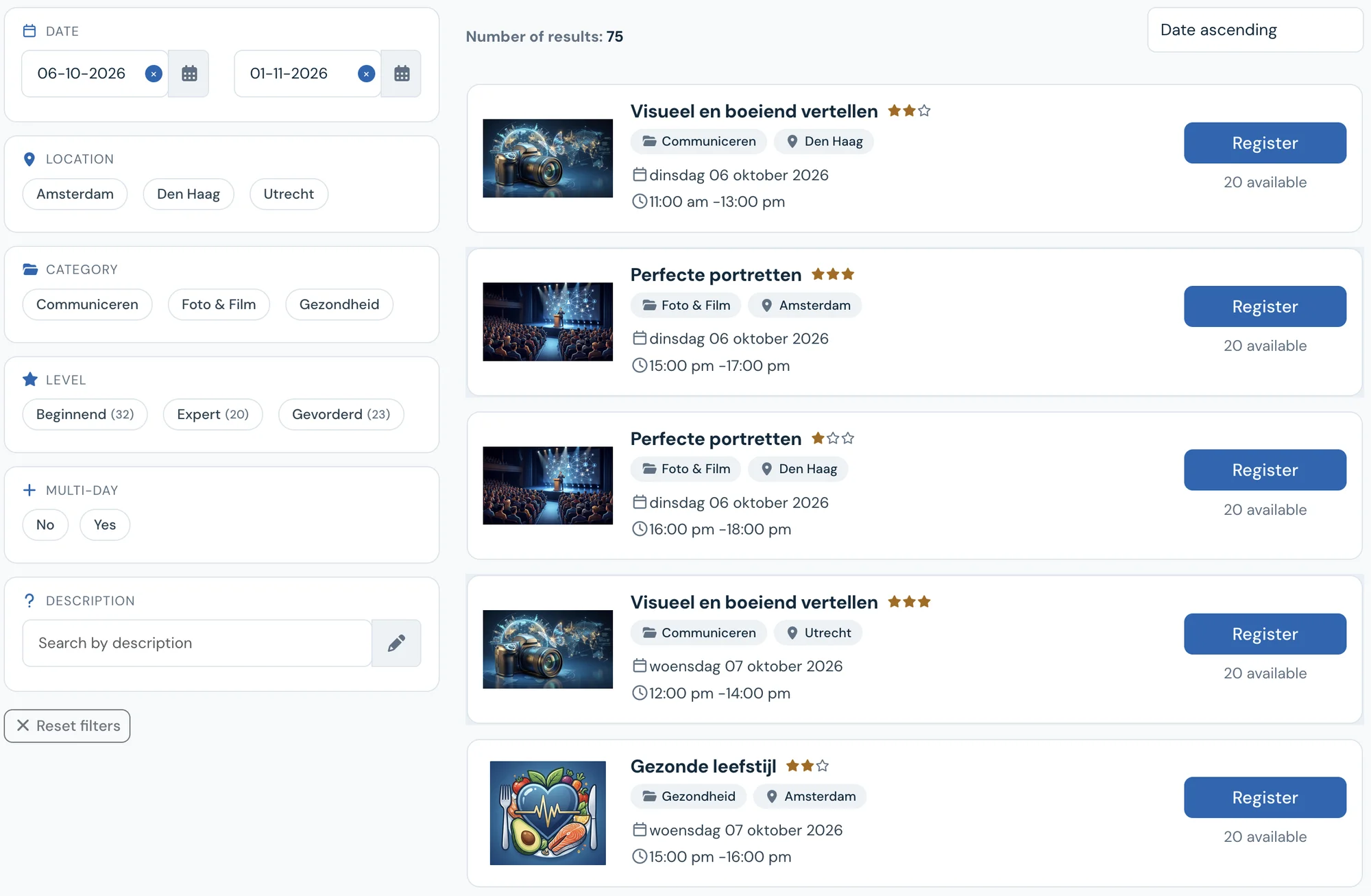
See how it works with your courses?
Try it free for 30 days. We set it up for you, within a few days. Or book a 30-minute demo.