
Bookings: from waiting list to room layout, exactly the way you want
Flexible prices per season or part of the day, discounts and surcharges, recurring bookings, extra questions and options. And a workflow that confirms, reminds and invoices without you doing a thing.
flexible and tailored
Bend i-Reserve to your way of working
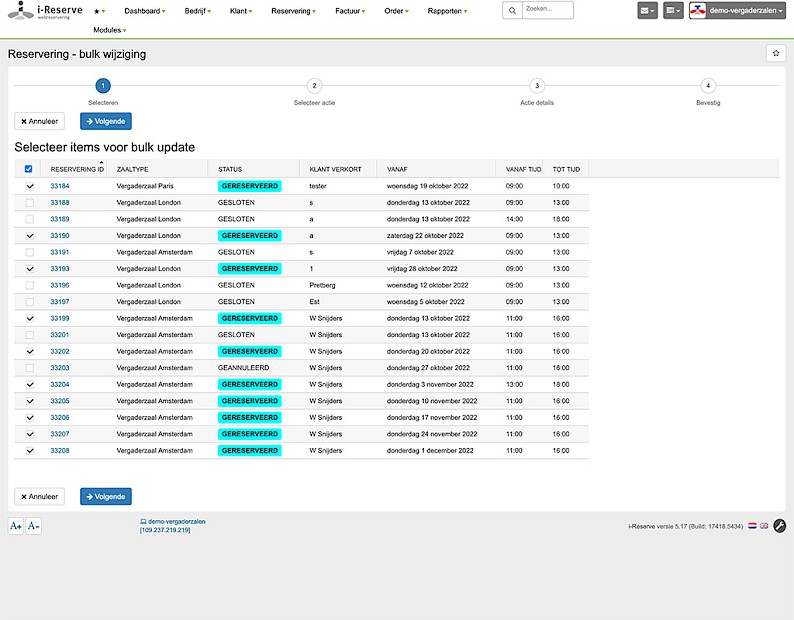
In the i-Reserve reservation system you decide whether only you can change a booking or whether your customer can too, and with a bulk edit you change lots of details at once. Block a period, add your own fields and ask extra questions when booking, for example about dietary requirements, allergies or age. Create recurring bookings or let customers do it themselves. Offer extras, such as lunch with a meeting room or a racket with a tennis court, and let customers choose a room layout. Booking works on computer, tablet and mobile.
extra informationchange reservationsbulk changesrecurring reservationscross-sellingroom for extra questions and wishesspecific room layoutsblock a period in your calendarfully responsive
flexible by design
Flexible with prices and reservations
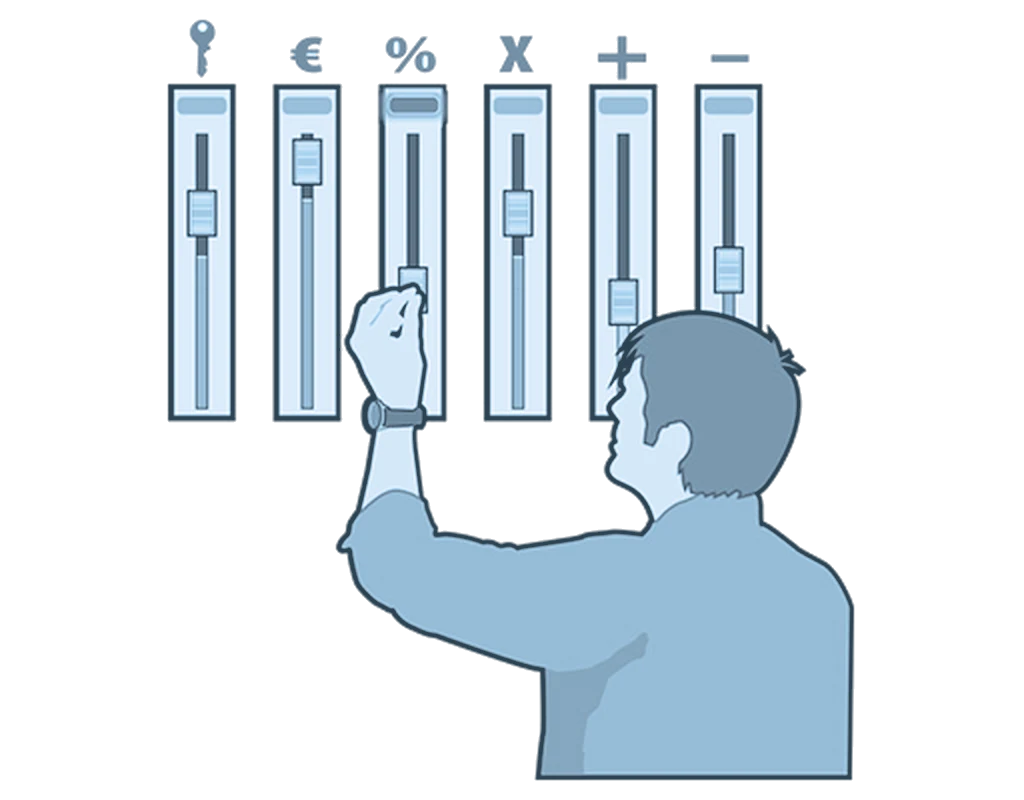
In the reservation system you set prices flexibly: per season, per type of participant (such as a lower price for children). But also per day, period or time, for example higher at weekends, after 5 pm or in the holidays. You also set discounts and surcharges, as a percentage or fixed amount, such as a last-minute discount, a discount on a booking of several hours or for a certain number of participants. Bookings that are not paid on time are cancelled automatically. And with a waiting list, whose length you set yourself, customers are signed up automatically as soon as a place becomes free.
flexible pricingsimple and complex discounts and surchargesautomatic cancellation of unpaid reservationswaiting list
automating saves time
Automate your own way of working
The workflow is the path a booking follows: from new booking through checking and payment to completion. All communication is part of it too. Much of this runs automatically, such as the booking and payment confirmation or an evaluation email. Send quotes and invoices as PDF and print attendance lists. Let i-Reserve create and send a diploma or certificate. Convert an order into an invoice and add bookings to your own calendar. And give participants remote access, for example with a code for the squash court.
send e-mails automaticallycreate PDF filesattendance liststurn an order into an invoiceconnect i-Reserve to your (Google) calendaropen doors remotely
All features for reservations
Remote access control
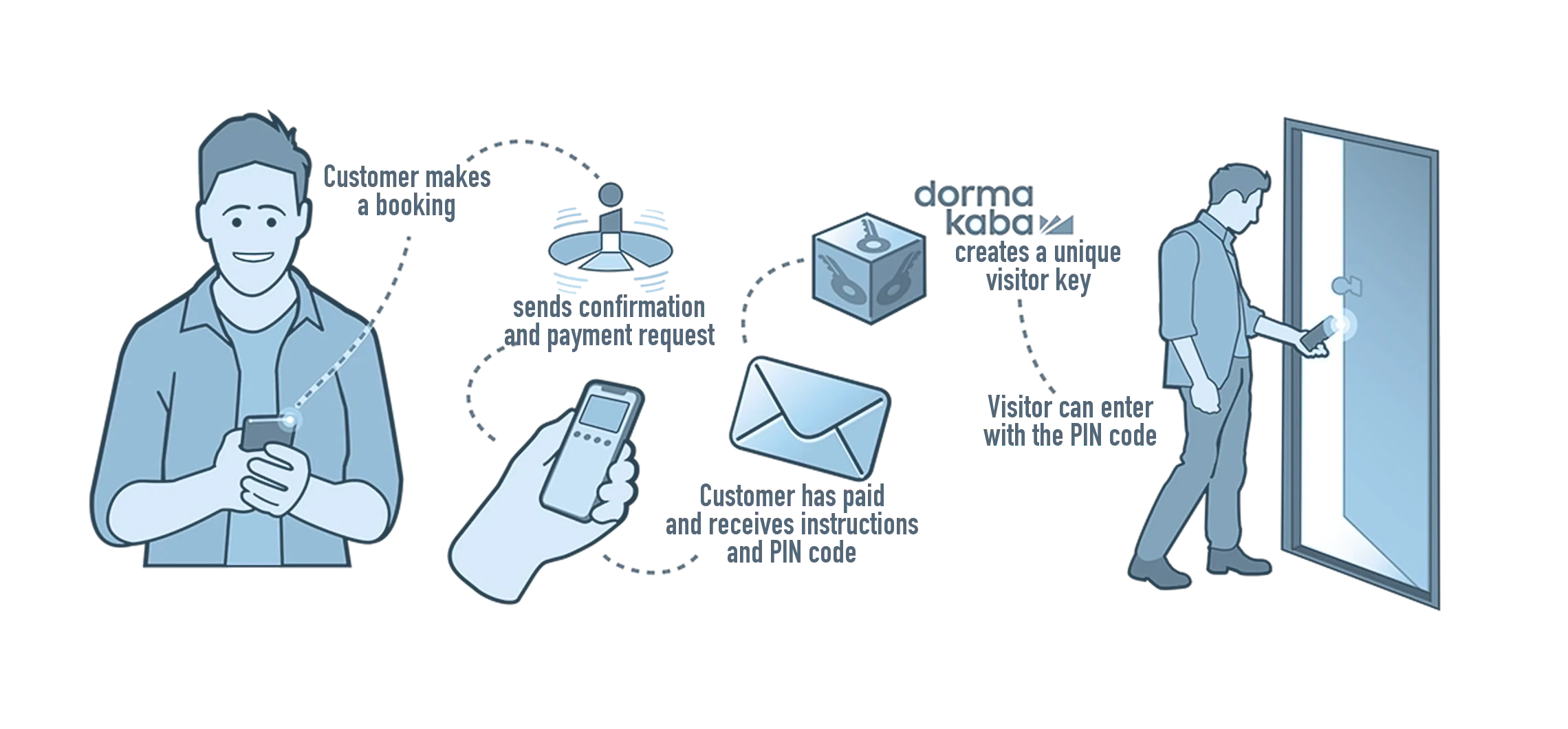
A new integration makes it possible to give people access to a location remotely. A meeting room that unlocks at a set time, for instance, or a code a player uses to open their own squash court.
Flexible pricing
Prices can be set flexibly: a different price per season (high or low), per type of participant (a lower price for children), per day, period or time (higher at the weekend, after five o'clock or during the holidays).
Simple and complex discounts or surcharges
You can set discounts or surcharges on a product in specific situations, either as a percentage or as a fixed amount. Think of a discount on a last-minute booking, a lower hourly rate when someone books two or three hours, or a discount or surcharge from a certain number of participants.
Fully automated workflow
The workflow is the path a reservation travels: from a new booking, through checking and payment, to closing the booking, including all the communication along the way. Sending a booking confirmation, a payment confirmation or a follow-up e-mail automatically, for example.
Changing a reservation status by hand
Any workflow actions attached to a status are carried out automatically when that status changes.
Dummy reservations
A dummy reservation lets an administrator update availability. It blocks a period so nothing can be booked at that time.
Extra free fields for your own information
Custom reservation fields store extra information and show it on the dashboard for each reservation. In car rental, for example: the mileage, or a record of any damage.
Mail customers, participants or both
A feature used a lot for courses, but just as useful elsewhere. Sometimes a reservation involves participants as well as the person who booked. You can mail that group by hand or automatically, with directions to the venue, for instance.
Send e-mails automatically or by hand
Send e-mails straight from the template library, or edit them first and then send.
Create PDF files automatically or by hand
Quotations, contracts and invoices, for example.
Turning a reservation into an order
An order builds a document such as a quotation or a contract out of blocks. You can send that order to the customer and turn it into an invoice.
Connect i-Reserve to your (Google) calendar
Generate an iCal file that can be read by most mail clients, Outlook among them.
Repeating reservations
Book the same product for a number of weeks (only for the Recurring pattern type). A recurring pattern means the same reservation takes place several weeks in a row. At the start of the pattern every booking is at the same time and only the date differs. Once the follow-up reservations exist, individual bookings can be moved, even to another product or another time.
Adding participants with extra details
A reservation may need extra details per participant: dietary requirements, allergies or age are all worth knowing in advance.
Offer extras and cross-sell with the booking
Give customers the chance to add extras to their reservation, such as a projector or lunch.
Ask extra questions with a reservation
Sometimes a reservation needs more information, and the system makes it easy to add the questions that matter. Let customers describe the theme of their party themselves, or have them choose from a list.
Set up different room layouts
You can define different room layouts, each with its own capacity. Room A in a U-shape seats 20 people, while the same room in theatre style holds 50.
See how it works with your offering?
Try it free for 30 days, we set it up. Or book a demo.