
Booking system for multipurpose rooms: from community centre to sports hall, always the right layout
Associations and renters see which room is free, choose the layout and book half or the whole space. You see the occupancy of all rooms, with cleaning time scheduled in between automatically.
Customers in this sector











Half, whole or combined
Partial rental of sports halls and rooms, or several rooms blocked in one go. Partial rental →The layout is ready when they walk in
Renters enter the layout they want when booking; each layout has its own capacity. Layout →Regular renters, regular discount, regular evenings
Recurring bookings for associations, automatic customer discounts, exclusive rooms for certain groups. Customer discount →What it does for you
Manage rooms, opening hours, prices and packages from one clear reservation system for rooms. Automate as much as possible so you keep time for things more important than admin. With i-Reserve you stay in control of reservations, customers and payments. You send emails and invoices straight away in your own house style.
Your customers see straight away which rooms are available, book and pay online and manage their booking themselves. Extras such as drinks and snacks or a pull-up bar are easy to add. Automatic clean-up time makes sure the room is ready for the next group.
i-Reserve is the online reservation system for halls and multipurpose rooms that brings overview and calm, while you focus on hospitality and experience.
“The booking process now works brilliantly; customers booking for themselves makes a big difference. The new invoicing process makes it all a lot faster than before.”
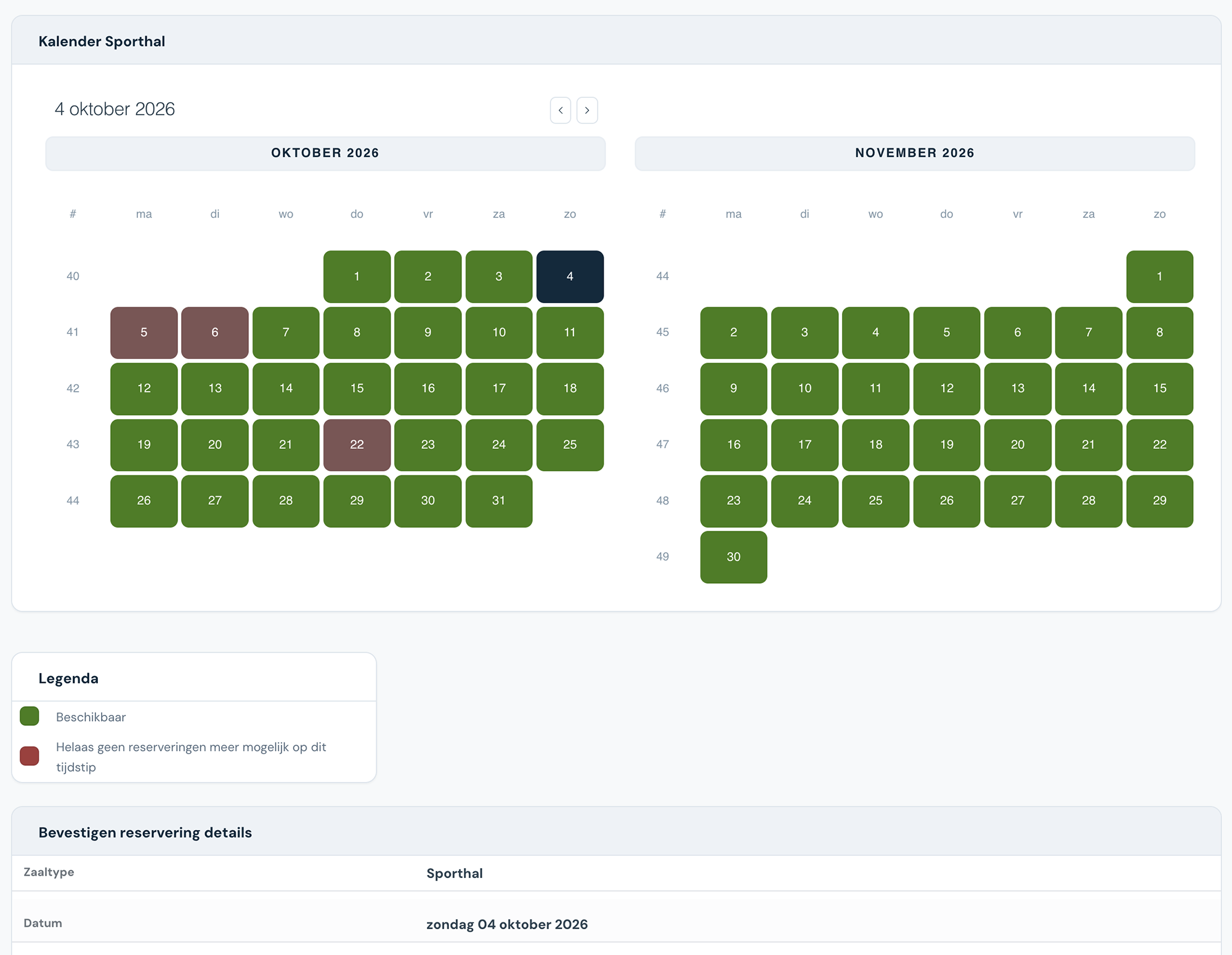
What can your reservation system for halls and multipurpose rooms do?
A selection of the features. Click for the details.
Partial rental
The reservation system lets you rent out rooms and halls whole or, for example, by half, and you can combine several spaces into one booking that is blocked in a single step.
Layout
While booking, people can state which layout they want, so it can be set up in advance. Each layout can have its own capacity.
CRM
Besides being a reservation system, i-Reserve is a CRM system too: keep all the details of your customers and companies in one place, with a handy overview of every e-mail sent.
Quotations
Creating quotations in the i-Reserve reservation system is quick and straightforward, and the templates are yours to set up as you like.
Tasks
Besides managing reservations, you can create internal tasks for yourself or for colleagues. Add a deadline, a category and, if you like, link the task to a customer or company.
Options
Let customers add options to their booking, such as catering or sports equipment. You decide whether the price is calculated per reservation or per person, and whether an option is compulsory.
Search & Book
Let customers search and filter the rooms and halls that are available, by group size, location or date, for example.
Series booking
You can give customers the option of booking for several weeks at once.
Invoicing
Our templates make it easy to draw up an invoice in exactly the layout you want. Invoices can be merged and sent to a customer or company automatically.
Schedule
All your bookings in one clear schedule. Each user can set the schedule up their own way, and you can make a reservation for a customer straight from it.
Customer discount
Let the system calculate a standing customer discount automatically when a reservation is made. Besides discounts, you can link a specific group of customers to rooms only they can book.
Filters
Pull statistics out of i-Reserve using filters. You can have them sent to e-mail addresses automatically — an overview of bookings for the caterer, for instance.
Frequently asked questions about booking for multipurpose rooms
Can I offer my customers different room layouts?
Certainly. Each room or space can have several layouts, and a layout can even change how many people it holds. You can include the layout in the Search & Book function, so customers can filter rooms by it.
Can I rent out just part of a space?
Yes. In the i-Reserve reservation system you can rent out spaces and halls whole or, for example, by half, and you can combine several spaces into one booking that is blocked in a single step.
Can a hall or space have different prices?
Certainly. Halls and spaces need not always cost the same: one may be cheaper in the evening, dearer at the weekend, cheaper the longer you book it, or cheaper for a last-minute booking. You can set several price schemes per space, each of which becomes active under conditions you set in advance — certain days of the week, between two dates, for a booking longer than a day, or for a particular customer. A scheme can give the space an entirely new price, or apply a discount of a fixed amount or a percentage.
I want to enter reservations myself — is that possible?
The i-Reserve reservation system is yours to set up as you wish. You can give customers the option of booking online themselves, but you do not have to. If you are used to keeping bookings in an (online) calendar, i-Reserve does that job better. From the dashboard you keep an overview of the rooms available in the schedule and the status of every reservation. Adding a new reservation for a customer is quick, and standard e-mails go out by hand or fully automatically from the system.
Do I have to set up the system myself?
No. With the trial we set up your environment with your offering, prices and settings, free of charge and within a few days. You can also set it up yourself if you prefer.
Switching from another system, or from a paper diary?
We look at what you have now, move your data across and set up your environment. Also if your current system is about to stop.
Try the demo for multipurpose rooms
Book something yourself, add an option and see what the confirmation looks like. No account needed.
Open the demo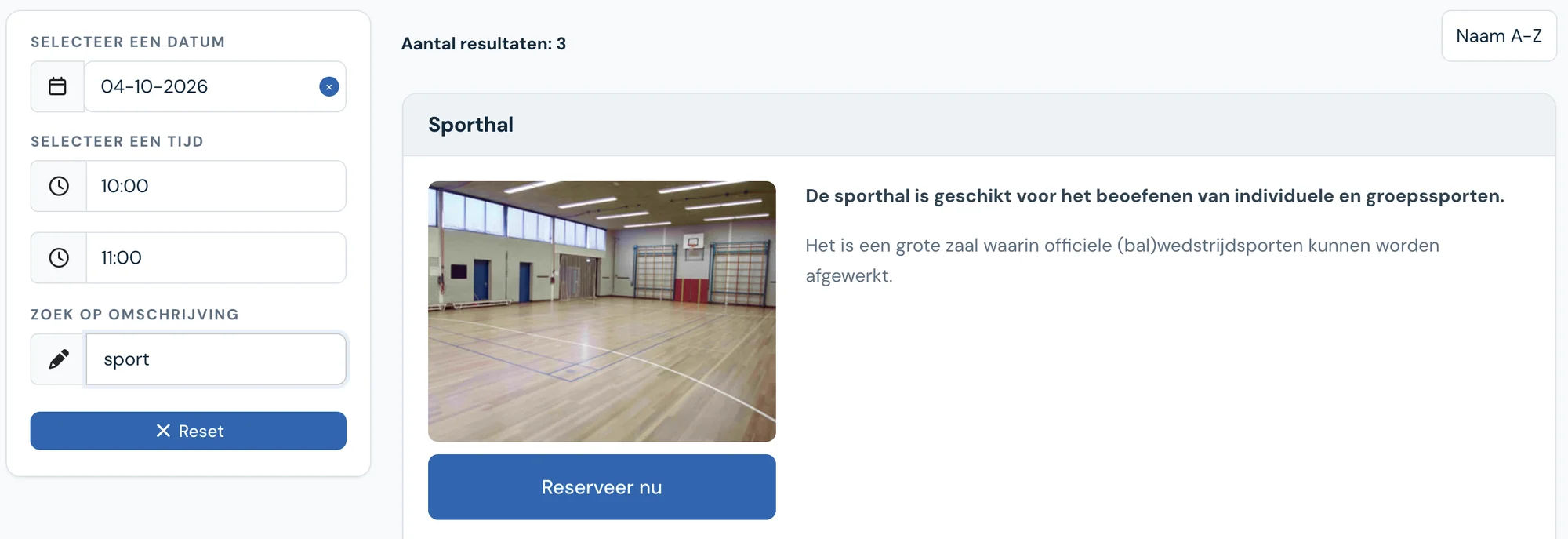
See how it works with your multipurpose rooms?
Try it free for 30 days. We set it up for you, within a few days. Or book a 30-minute demo.