
Booking system for recreation: bowling, dinner and climbing in one booking
Activities, packages and equipment rental in one booking. Your guests see what is available, pay in advance and get their confirmation. You see the occupancy per hour.

Customers in this sector









Bigger group, more time, automatically
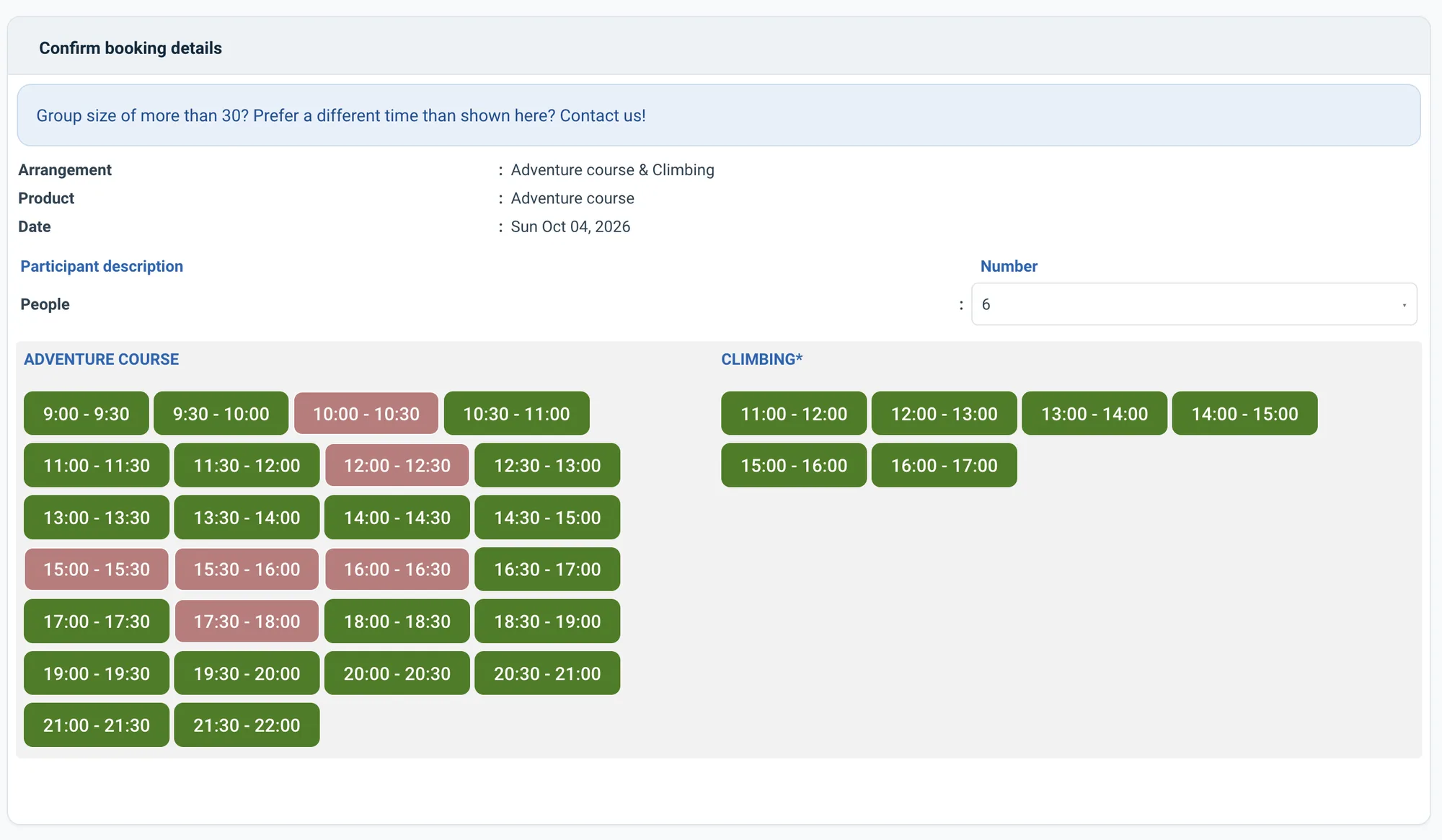
The duration of the activity grows with the number of participants. Staff and rooms are blocked via resources. Duration by group size →Two activities in a row for one price
Bowling and dinner, bowling and climbing: they book packages in one go, the system plans the order. Packages →Bar snacks, a helmet or climbing shoes on top
Options per booking or per person, mandatory or not. Punch cards for regular guests. Options →What it does for you
Manage opening hours, rates and packages from one clear reservation system for recreation. Automate as much as possible so you keep time for what really counts: your guests and their experience. i-Reserve gives you control over reservations, customers and payments. You send emails and invoices easily in your own house style — professional and recognisable.
Your guests see straight away which activities are available. They book and pay online and manage their booking themselves. Extras such as equipment rental, packages or catering are effortless to add.
i-Reserve is the online reservation system for recreation that brings overview and calm, while you keep your focus on an optimal guest experience.
“The big advantage i-Reserve offers is that a booking can be made anywhere. Whether that's at a bungalow, at reception or in the restaurant. It works everywhere.”
What's possible?
A selection of the features. Click for the details.
Widget
Put the reservation system on your own website with the i-Reserve widget. It makes booking simpler for customers, so fewer of them drop out along the way.
Search & Book
Let customers search and filter the activities that are available in the booking module, by date or type of activity, for example.
Waiting list
When an activity is full, customers can put themselves on the waiting list in the reservation system and are enrolled automatically as soon as a place comes free.
CRM
Besides being an online reservation system, i-Reserve is a CRM system too: keep all the details of your customers and companies in one place, with a handy overview of every e-mail sent.
Invoicing
Our templates make it easy to draw up an invoice in exactly the layout you want. Invoices can be merged and sent to a customer or company automatically from the reservation system.
Quotations
Creating quotations is quick and straightforward in our reservation system, and the templates are yours to set up as you like.
Tasks
Besides managing reservations, you can create internal tasks for yourself or for colleagues. Add a deadline, a category and, if you like, link the task to a customer or company.
Options
Let customers add options to the activity, such as extra equipment. You decide whether the price is calculated per reservation or per person, and whether an option is compulsory.
Schedule
Our reservation system shows all your activities in one clear schedule. Each user can set the schedule up their own way, and you can make a reservation for a customer straight from it.
Customer discount
Let the reservation system calculate a standing customer discount automatically when a reservation is made.
Filters
Pull statistics out of i-Reserve using filters. You can have them sent to e-mail addresses automatically — an overview of bookings for the caterer, for instance.
Automatic mailing
Send customers an automatic confirmation e-mail as soon as they have booked. You can also send them an automatic reminder with further details.
Packages
Let customers book two different leisure activities back to back at an attractive price in the online reservation system. Bowling and dinner, for instance, or bowling and climbing.
Duration by group size
Make the reserved period depend on the number of participants, so a larger group gets more time for the activity.
Frequently asked questions about booking for recreation
I want to enter reservations myself — is that possible?
The online reservation system is yours to set up as you wish. You can give customers the option of booking online themselves, but you do not have to. If you are used to keeping your activities in an (online) calendar, i-Reserve does that job better. From the dashboard you keep an overview of the activities scheduled and the status of every reservation. Adding a new reservation for a customer is quick, and standard e-mails go out by hand or fully automatically from the system.
Do I have to set up the system myself?
No. With the trial we set up your environment with your offering, prices and settings, free of charge and within a few days. You can also set it up yourself if you prefer.
Switching from another system, or from a paper diary?
We look at what you have now, move your data across and set up your environment. Also if your current system is about to stop.
Try the demo for recreation
Book something yourself, add an option and see what the confirmation looks like. No account needed.
Open the demo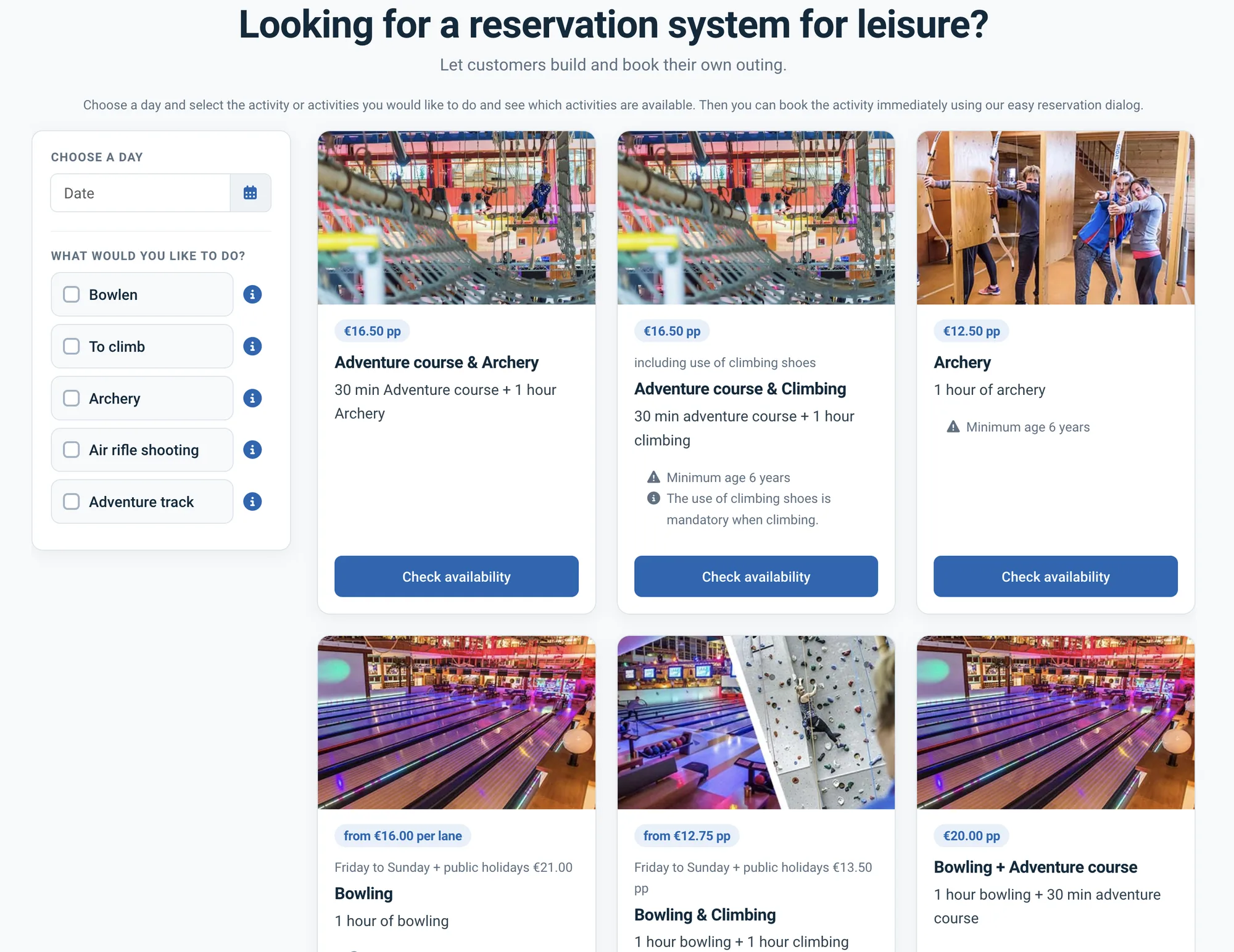
See how it works with your recreation?
Try it free for 30 days. We set it up for you, within a few days. Or book a 30-minute demo.