
Automate the booking process and save time for fun things
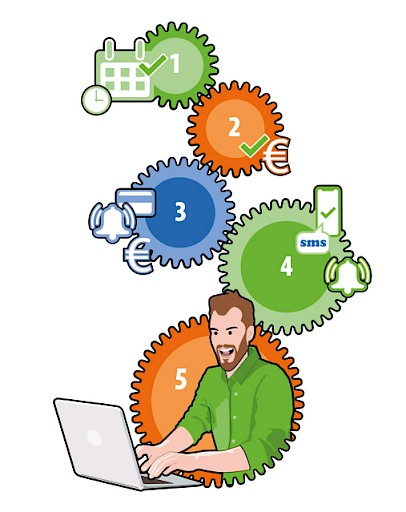
Automate your reservation process and free up time for fun things. The i-Reserve reservation system offers a wealth of technologies and integrations that allow you to fully automate the reservation process. This way, you'll already save time by processing reservations online instead of handling them by phone and email. You can also automatically send reservation confirmations, payment confirmations, or reminders via email or text message. If there are any changes to a reservation, you or your customer can easily and quickly make them. Customers can be notified automatically by email or text message.
i-Reserve offers various integration options: API integrations, import/export integrations, and integrations through an integration platform like MS Flow or Zapier. We offer several native integrations, which are already included in i-Reserve and require only configuration. Integrations provide an even more comprehensive reservation system and reduce workload. Using a webhook, you can execute triggers to connect reservations, tasks, or customers to hundreds of other applications. Think of calendar management, accounting, and even remote door opening. With integrations and integrations, the possibilities are endless. In this blog post, we'll explore some of these options.
Let your customers book and pay themselves
Save time and let your customers make a reservation online themselves with the Online Booking module. You decide which reservation dialogue you want to work with: appointment calendar, schedule, or going a step further: our advanced search & book function/dialogue. Let your customer choose a date themselves and book the reservation from there. Naturally, you can ensure that customers cannot book during holidays and make opening hours dependent on the day and/or season. In the i-Reserve reservation system, the customer can easily view occupancy and available slots themselves. Let customers search and filter in the reservation module for available meeting rooms, appointments, tours, and more. For example, you can filter by product type (from boat rental to meeting room), number of people, location, or date. View and try our demos out the various options
Pay directly
Do you want to let a customer pay themselves after making a reservation? Then connect i-Reserve to a payment provider in the Online Payment module. A payment provider or Payment Service Provider (PSP) is a third party that handles the processing of online payments such as iDeal, Bancontact, PayPal, or VISA. Connect your reservation system directly to a payment provider of your choice. With the i-Reserve 'Online Payment' module, you have the option to connect the largest payment providers such as Buckaroo, Mollie, or Stripe to your booking system. This way, you don't have to worry about it yourself—ideal! Read more about this on our dedicated integrations page.
All reservations directly in your calendar
A reservation is time-dependent. Your client reserves a date and often a time as well. You'll naturally see the booking in your calendar in our reservation system. But would you also like the booking automatically appear in your Google or Outlook calendar? No problem with an i-Reservecalendar integration. The booking will then appear immediately in your own calendar, whether on your phone or not, at your fingertips. You'll see availability in real time. If you rent out your rooms, have all the rooms appear in your calendar. That way, your schedule is always with you, even when you're on the go. You'll never have to worry about double-booking or forgetting an important appointment again.
What's more, with i-Reserve , you can add appointments to someone's calendar, even without a user being set up as an administrator in i-Reserve . For example, a trainer who teaches courses. Or a reception desk at a venue that rents out rooms. Or a trainer who wants to see all courses in their calendar and then open them on their mobile phone.
It's also possible to set up bidirectional calendar integrations. This means you can also send items or data to the i-Reserve . For example, a facilities department can manage rooms in Google Calendar, which will then be automatically synchronized with the reservation calendar. Learn more about this on our dedicated integrations page.

Your i-Reserve invoices automatically in your accounting system
With the import/export integrations from the Invoice and Export modules, you can integrate your i-Reserve environment with your accounting system, such as Visma Cash or Exact. Connect to your accounting software and export invoices, or use them to import financial data into your software.
Accounting integrations are one-way integrations, meaning they synchronize data in one direction. For example, from a reservation system to an accounting package. Invoices are often used to enter financial data into the accounting package. However, reservations can also be used to transfer (financial) data into the accounting package. In the most common setup, the debtor and their financial data are periodically entered into the accounting package. Read more about this on our dedicated integrations page.

All updates directly in Slack
Make i-Reserve work even more for you. You can also connect it to Slack, the team messaging app. This way, you can have Slack notify you every time a reservation is received or a change is made. This makes collaboration easier. Learn more on our dedicated integrations page.

Open doors remotely for customers
The integration of i-Reserve with access control systems makes it possible to grant automated access to individuals who have made a reservation. Especially in combination with a payment system, this enables powerful solutions to be realized.
Do you want the door of a meeting room to open for a specific client five or ten minutes before the meeting?
Do you want to give the client a code to open the door of a squash court at the time of reservation?
Or the code for a locker containing a key and perhaps other necessary items?
Countless options are conceivable: for hotels, rental accommodations, conference centers, sports halls, and private clubs. The possibilities surrounding door and access control are extensive with our reservation system.
Are you going a step further? Then you can make everything completely automated by linking access control to your reservation system.
We do all this in collaboration with Dormakaba, a well-known supplier of innovative access solutions. Read more about this in our extensive blog.

Curious and ready to get started?
If you are curious about these and other possibilities of the i-Reserve reservation system, please contact us.