

i-Reserve and GetYourGuide
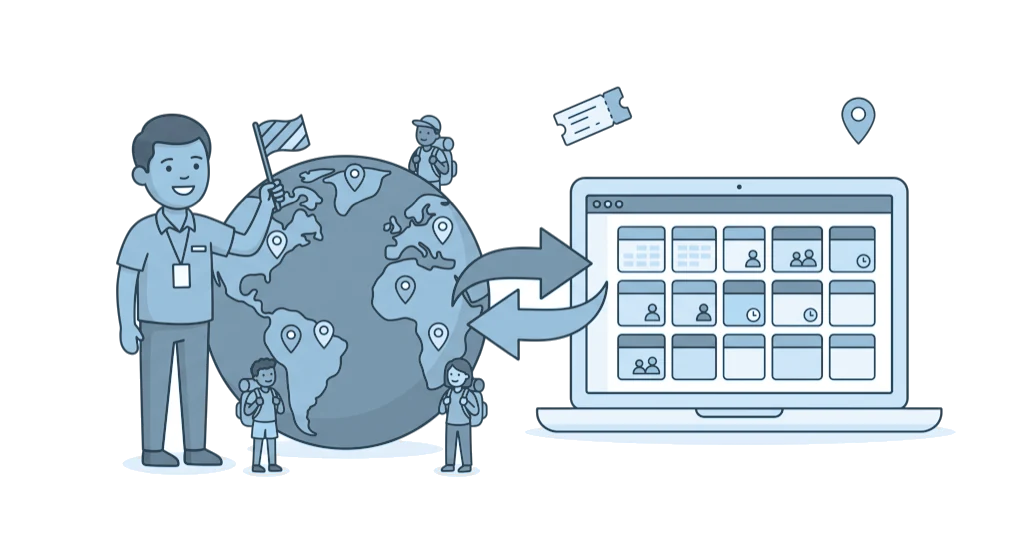
With GetYourGuide you sell your tours and activities through an extra channel, while i-Reserve sets the availability and puts every booking straight into your calendar.
Type: NativeFrom: Bronze
| i-Reserve | GetYourGuide | |
|---|---|---|
| Availability per day and time slot | goes to | Availability |
| Prices | goes to | Prices per category |
| Object (mirror object) | goes to | Product |
| Participants | goes to | Participant categories |
| E-tickets (QR code) | goes to | E-ticket for your customer |
| Reservation | comes back from | Reservation |
| Confirmed booking | comes back from | Booking |
| Cancellation | comes back from | Cancellation |
| External ID field | comes back from | GetYourGuide reference |
How it works
i-Reserve sends your availability and prices per day and time slot to GetYourGuide as soon as something changes. GetYourGuide reserves, confirms and cancels through i-Reserve, and at every step the booking gets the status you have set. On confirmation, i-Reserve creates an e-ticket with a QR code for each participant, which GetYourGuide shows to your customer.
What it delivers
Bookings through GetYourGuide and through your own website come together in one calendar in i-Reserve. Because i-Reserve keeps the availability leading, you prevent double bookings, without manual updates, emailing back and forth or retyping. This way you sell through an extra channel without your administration growing with it, and you scan the e-tickets with your existing i-Reserve ticket check.
What you need
For this integration you need a GetYourGuide supplier account with connectivity, and your Supplier ID. In i-Reserve you set up an object with participants and prices, plus a mirror object without a workflow that is linked to that object through a shared resource. You also need the E-ticket module, because i-Reserve creates the e-tickets with QR code.
Extra options
What you offer: you decide which times, places and prices you offer on GetYourGuide, for example to fill off-peak hours or to protect your peak moments.
Participant categories: GetYourGuide sells per category, such as adult, child or group. You link each participant to a category, with a default category for the rest, so every booking comes in with the right number of people and the right price.
Time slots or opening hours: per object you choose fixed start times, as for a boat trip, or opening hours, as for a day ticket, with a price per person or per group.
Extras: you link food, drinks or transport to a GetYourGuide add-on type.
Emails: the mirror object has no workflow, so i-Reserve does not send its own emails to GetYourGuide customers; that communication runs through GetYourGuide.
How to switch it on
- Set up your object with participants and prices in i-Reserve, plus a mirror object without a workflow
- Add the GetYourGuide integration in i-Reserve with your Supplier ID and choose the statuses
- Link your object to the product and your participants to the categories, and sync the products
- Enter the Connectivity ID in the GetYourGuide Supplier Portal and test with a trial booking
Simply do it yourself, or have it included in the setup.
Frequently asked questions about GetYourGuide
What is the integration between i-Reserve and GetYourGuide?
With the integration you sell your tours and activities through GetYourGuide. i-Reserve sends your availability and prices to GetYourGuide, and bookings through GetYourGuide come into i-Reserve automatically, in one calendar with your other bookings.
Does the integration work both ways?
Yes. i-Reserve sends your availability and prices per day and time slot to GetYourGuide as soon as something changes. GetYourGuide reserves, confirms and cancels through i-Reserve, and at every step the booking gets the status you have set.
Does the integration prevent double bookings?
Yes. i-Reserve keeps availability in the lead: a spot booked through GetYourGuide is taken in your i-Reserve calendar straight away, and a change in i-Reserve goes to GetYourGuide straight away. That way you prevent double bookings without manual updates.
How do participants and prices work?
GetYourGuide sells per participant category, such as adult, child or group. You link each participant in i-Reserve to a category, with a default category for the rest, so every booking comes in with the right number of people and the right price.
Do customers who book through GetYourGuide receive my own emails?
No. The mirror object has no workflow, so i-Reserve does not send its own emails to GetYourGuide customers; that communication runs through GetYourGuide. On confirmation, i-Reserve does create an e-ticket with QR code per participant, which GetYourGuide shows to your customer.
What do I need to get started?
You need a GetYourGuide supplier account with connectivity, and your Supplier ID. In i-Reserve you set up an object with participants and prices, plus a mirror object without a workflow, and you need the E-ticket module. The steps are in the manual.

Connect GetYourGuide and done?
Try it free for 30 days, we set the integration up with you. Or book a demo.