

i-Reserve and Power Automate
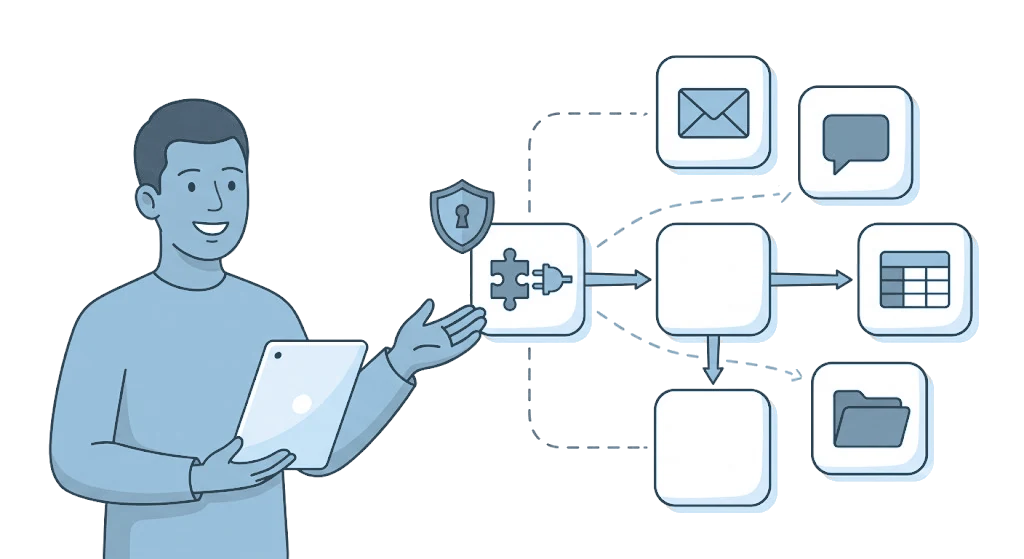
With Microsoft Power Automate, bookings, customers and orders from i-Reserve flow automatically to Microsoft 365 services such as Outlook, Teams, SharePoint and Excel.
Type: APIFrom: Silver
How it works
For i-Reserve you create your own custom connector in Power Automate. You import it from the OpenAPI definition (swagger.json) that i-Reserve automatically generates for your environment, so all i-Reserve triggers and actions are available right away. The connection uses OAuth 2.0 with a separate connection user. After that you use i-Reserve as a building block in your flows, alongside the other Power Automate connectors. The other way round, a flow can also create or update data in i-Reserve with the i-Reserve actions.
What it delivers
A new booking can, for example, automatically create a task in Teams, send a confirmation through Outlook, add a row in Excel or add a customer to your email marketing. This way bookings, customers and orders flow along to your Microsoft environment by themselves. You build the flows visually, without programming.
What you need
For this integration you need Microsoft Power Automate. In i-Reserve you create an OAuth client and a separate connection user, with only the permissions your flows need. You enter the Client ID and Client Secret in the connector in Power Automate. In i-Reserve, API access must be enabled; it is included in the plans from Silver.
Extra options
Custom fields: booking and customer fields you added yourself are included in the definition, so you can use them in your flows. After major changes to your configuration, you import the definition again.
Other connectors: through Power Automate you can also combine i-Reserve with other connectors, from Dynamics to Mailchimp.
Test and production: you set up a separate OAuth client, connection user and connector per environment, so you can try out a flow in a test environment first.
How to switch it on
- Create an OAuth client and a connection user in i-Reserve
- Download your environment's swagger.json and import it into Power Automate as a custom connector
- Set up OAuth 2.0 and add the Redirect URL to the OAuth client in i-Reserve
- Connect with the connection user, build your first flow and test
Simply do it yourself, or have it included in the setup.
Frequently asked questions about Power Automate
What is the integration between i-Reserve and Power Automate?
Power Automate is Microsoft's automation platform. With the integration you connect i-Reserve through a custom connector to Microsoft 365 services such as Outlook, Teams, SharePoint and Excel, and you build flows in which bookings, customers and orders flow through automatically.
What is a custom connector and how do I set it up?
The custom connector is the bridge between i-Reserve and Power Automate. You import the OpenAPI definition (swagger.json) that i-Reserve creates automatically for your environment, so all i-Reserve triggers and actions are available straight away. The steps are in the manual.
How does authentication work?
The integration uses OAuth 2.0. In i-Reserve you create an OAuth client and a separate connection user, with only the permissions your flows need. You enter the Client ID and Client Secret in the connector in Power Automate, and you put the Redirect URL back in the OAuth client in i-Reserve.
Which Microsoft services does this work with?
With Microsoft 365 services such as Outlook, Teams, SharePoint and Excel. Through Power Automate you can also combine i-Reserve with other connectors, from Dynamics to Mailchimp.
Do I need programming skills?
No. You build flows visually in Power Automate and use the i-Reserve triggers and actions as ready-made building blocks. To set up the connector, you follow the manual.
What is the difference with the Zapier integration?
Both connect i-Reserve to other apps without custom work. Power Automate is the obvious choice if you work with Microsoft 365. Zapier has its own integration with i-Reserve, with ready-made triggers and actions.

Connect Power Automate and done?
Try it free for 30 days, we set the integration up with you. Or book a demo.