

i-Reserve and dormakaba
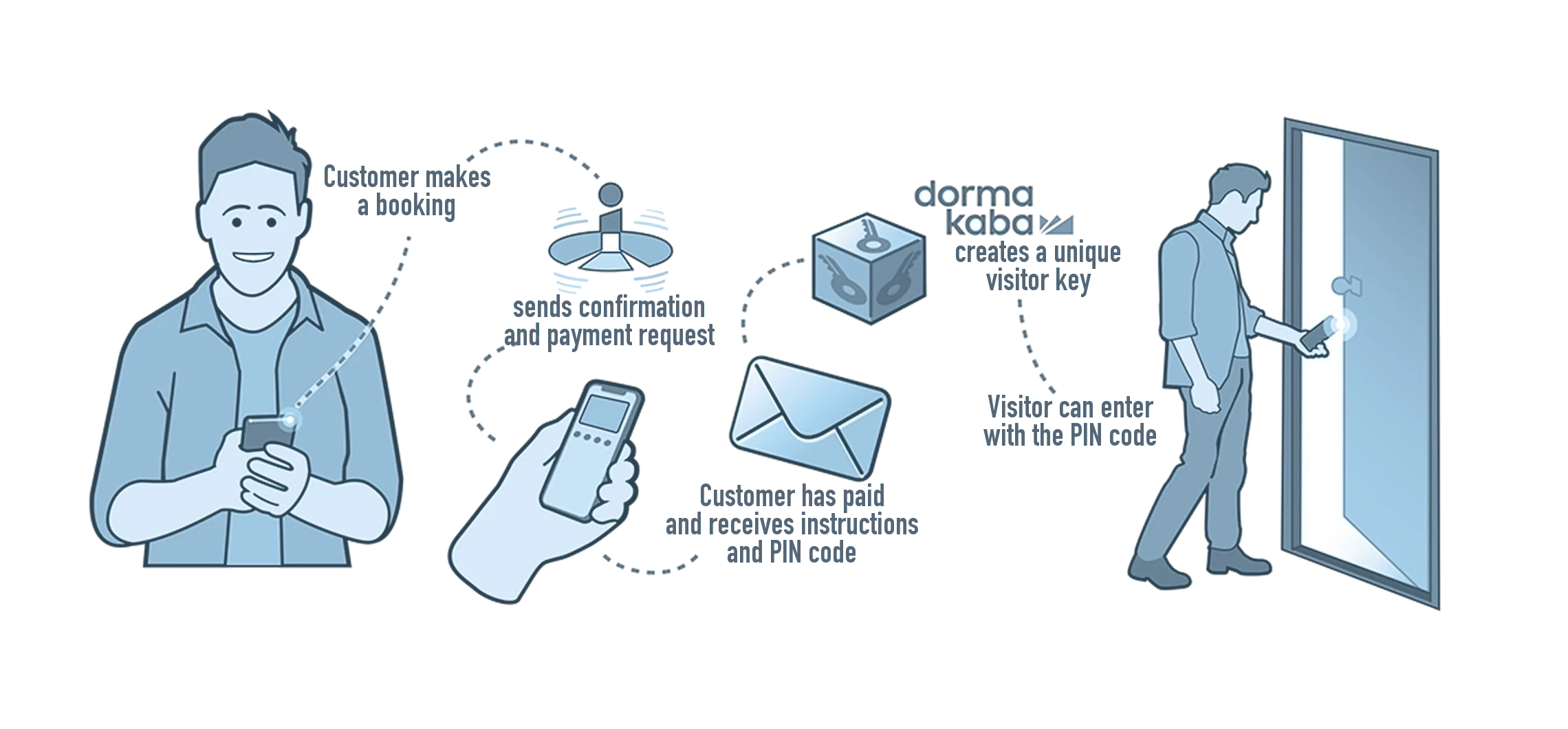
With dormakaba your customer receives a PIN code with their booking that opens the door of exactly the space they booked, and only for that time.
Type: NativeFrom: Bronze
| i-Reserve | dormakaba | |
|---|---|---|
| Date and time from | goes to | Access from |
| Date and time until | goes to | Access until |
| Object | goes to | Access zone |
| PIN code | goes to | PIN code |
| External ID | comes back from | Visitor ID |
How it works
When a booking reaches the status you choose, for example paid or accepted, i-Reserve registers your customer as a visitor with dormakaba. The start and end time, the access zone of the booked object and the PIN code are sent along. i-Reserve stores the PIN code and the dormakaba visitor ID with the booking, so the PIN code goes into the email to your customer. Your customer opens the door with that PIN code.
What it delivers
Your customers go straight to their space, without waiting for someone to open the door: a squash court, a meeting room or a locker. This makes check-in easier. Access expires automatically when the booking is over, so nobody can get into your space afterwards.
What you need
For this integration you need a configured dormakaba environment, with locks, zones and components. In dormakaba you create an API connection; you enter the site ID, the API key and the API secret in i-Reserve.
Extra options
Time before: customers often arrive a few minutes early, for example to get changed. Set it to 5 minutes, and for a booking at 10:00 the door already opens at 9:55.
Access per object: you decide exactly which objects give access and to which zones or rooms your customer can then enter.
How to switch it on
- Create an API connection in dormakaba and keep the site ID, the API key and the API secret
- Add the dormakaba integration in i-Reserve and enter the details
- Choose the status at which your customer gets access, and the fields for the PIN code and the visitor ID
- Link your objects to the components in dormakaba and test
Simply do it yourself, or have it included in the setup.

Connect dormakaba and done?
Try it free for 30 days, we set the integration up with you. Or book a demo.